QA Testing for AI-Built Apps: What Changes When You Skip the Code
TL;DR: AI app builders skip the repo, so traditional QA tooling has nothing to plug into. The fix isn’t writing test code; it’s testing the live app the way a real user would, through the browser, in plain English, every time you ship a change.
Building an app with an AI tool used to mean weeks of setup. Now it means an afternoon. You describe what you want, the tool generates a working app, and you’re staring at a live URL before lunch. That speed is real, and it’s exactly where the trouble starts.
The QA gap nobody talks about
Traditional QA tooling assumes a few things that no longer hold for AI-built apps: a source repository you can connect a test runner to, a test framework someone deliberately chose, and an engineer on the team who understands the codebase well enough to write meaningful test cases. When your app was generated by describing a feature in plain English, none of that scaffolding exists. You have a URL, a working (mostly) product, and no test suite.
Most builders respond by clicking through the app themselves before every change, walking the login flow, the checkout, the settings page, and hoping nothing broke. That works until it doesn’t. A signup form that silently stops accepting valid emails, a checkout button that stops responding after a dependency bump, a settings toggle that no longer persists. These are the kinds of regressions that AI-generated code introduces quietly, because the AI tool optimizing your next feature request has no idea it just broke an earlier one.
What actually works: testing the app as a user would
If there’s no code to test against, the next best thing is to test the way a real user experiences the app, through the browser, in plain English. That’s the model WayRunner is built around: paste the URL of your Lovable, Bolt, Replit, or Cursor app, describe what should happen in a sentence (“a new user can sign up, verify their email, and reach the dashboard”), and a real browser runs through it exactly like a person would, screenshotting each step along the way. We cover the step-by-step version of this in how to test your Lovable, Bolt, or Replit app before you ship it, if you want to see it applied to a real flow.
This sidesteps the core problem entirely. You don’t need a repo connection because the browser only needs the URL. You don’t need to write test code because the instructions are the same words you’d use to describe the feature to a teammate. And you don’t need a QA engineer on staff, because you, the person who knows what the app is supposed to do, are the one writing the test.
The outside-in check after each publish
Start with one flow that has a visible finish line. For signup, that might mean creating a test account and seeing the first-use screen, not merely seeing the form submit. After a builder changes the app, rerun that same flow on the published URL. A passing preview only proves the preview worked in its own environment.
Then check one state change and one failure path. Save a record and reload to see whether it persisted; submit an invalid value and see whether the app explains what to fix. Those checks catch different failures from a happy-path click-through. Keep any test account and data safe to reuse or clean up.
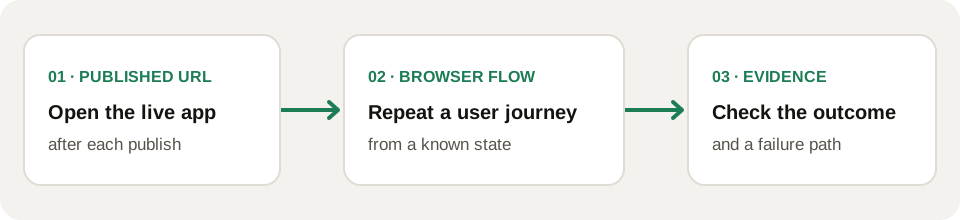
Browser-only QA cannot tell you which source file caused a failure. It can show where the user journey stopped, which is enough to make the next debugging step specific. If you own the code and CI, keep unit and API checks alongside this outside view.
Credentials without the risk
The obvious objection: testing a real flow often means logging in, which means handling a password. WayRunner encrypts vault entries in your browser before storing them. When a run needs a login, you unlock the vault locally and approve the credential supply; the Planner gets only an opaque reference, and the Executor retrieves the value from the short-lived Secret Broker when it types it. You can test an authenticated flow without putting a password in your test instruction.
The takeaway
AI app builders solved the “how do I build this” problem. They didn’t solve “how do I know it still works after the next change.” If your workflow is prompt, ship, repeat, the testing step needs to be just as fast and just as code-free as the building step; otherwise it’s the first thing that gets skipped.
Try it on your own app: wayrunner.run/#signup.